Native macOS App
Every frame has a palette waiting to be found
PaletteFrame finds the perceptual color language of videos and still images, shows how it changes over time, and packages it for creative handoff.

Capabilities
Built for people who see differently
Universal Format Support
MP4, MOV, M4V, MKV, AVI, WebM, MPG/MPEG, FLV, WMV, 3GP, and AVCHD (MTS, M2TS) and TS camera files. AVFoundation and VideoToolbox handle supported formats first; bundled FFmpeg provides a tested fallback for VP8, VP9, AV1, and other codecs, with the same color accuracy.
Perceptual Color Science
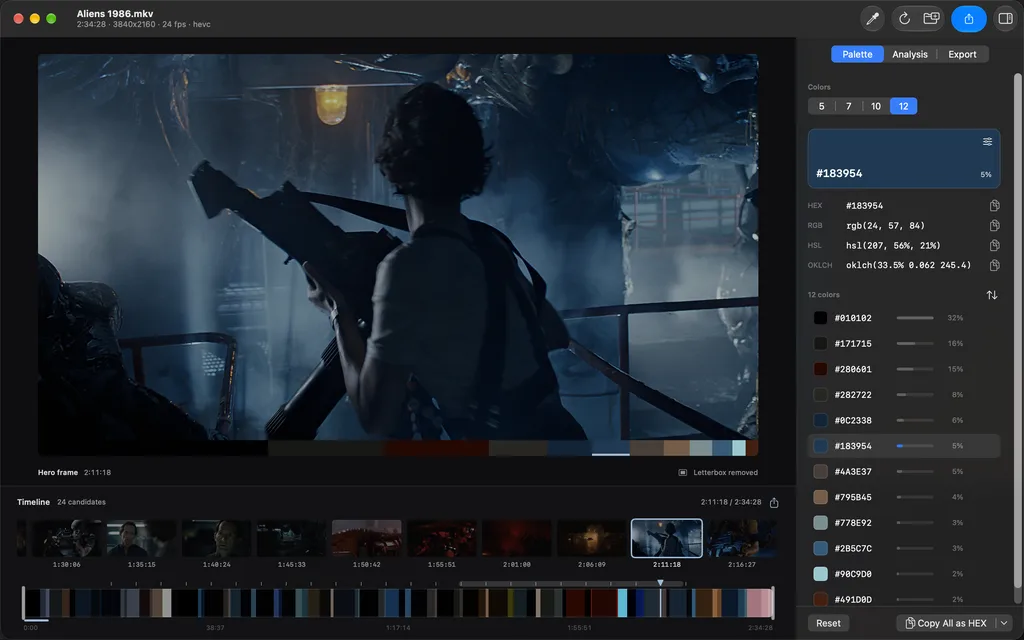
Deterministic OKLab clustering finds 5, 7, 10, or 12 dominant colors by visual similarity—not raw RGB distance. Results are sorted by prominence, deduplicated, and normalized to sRGB for dependable handoff. Change the color count and the palette updates in about a second, without reanalyzing.
Hero Frame Selection
Choose the sharpest candidate, or let Palette mode pick the frame that best represents your film's overall color. A large preview shows the hero frame with its palette, and you can fine-tune from 24 auto-selected options with the mouse or arrow keys.
Color Story Timeline
See the dominant palette evolve as a start-to-finish color barcode that grows denser with higher analysis depth. Inspect representative frames and local colors, use any segment's frame as the hero frame, drag across the timeline to isolate an excerpt for focused re-analysis, then export the complete story or the barcode alone as a PNG.
Analysis Depth, Your Call
Four tiers — Fast, Standard, Deep, and Exhaustive — let you trade speed for accuracy. Quick previews in seconds, or one-second exhaustive sampling with no fixed frame cap.
Export Studio
Preview and save reference cards, palette PNGs and SVGs, Adobe ASE swatches, JSON with OKLab data, CSS variables, plain hex lists, and Color Story PNGs. Choose native, HD, 2K, 4K, or custom width and save reusable presets.
Edit the Palette
Remove colors, lock the ones you want to keep, drag swatches into a new order, and pick extra colors from the hero frame with the eyedropper. Percentages are recalculated after every edit, and colors copy as HEX, RGB, HSL, or OKLCH.
Batch Export
Drop several videos and images at once and PaletteFrame analyzes each one and saves its export to a folder you choose. Reopen recent files from the File menu, or open files straight from Finder.
Workflow
From analysis to creative handoff.
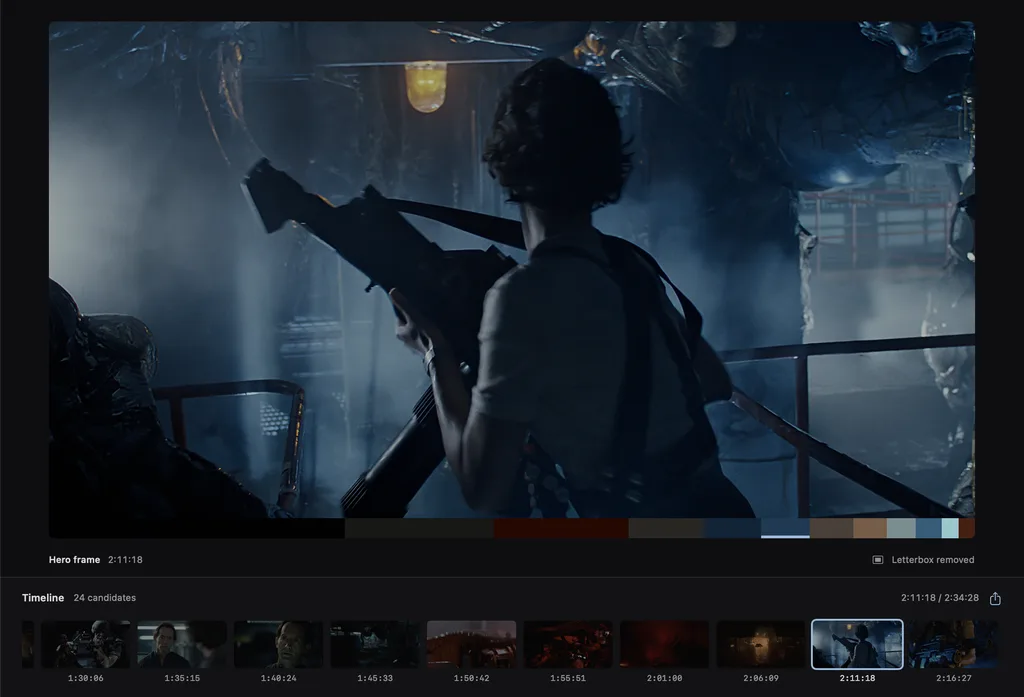
Choose the defining frame
Start with the sharpest or palette-representative automatic choice, then accept it or select from 24 analyzed candidates.
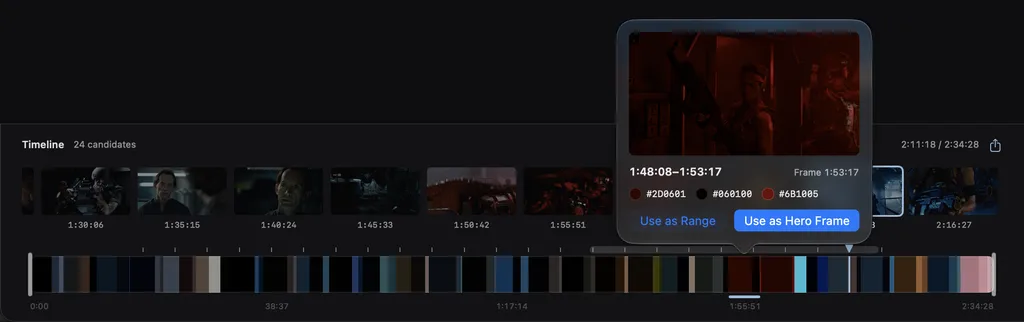
Explore the color story
Follow the palette from beginning to end, inspect any analyzed segment, and drag across the timeline to isolate an excerpt when a closer look matters.
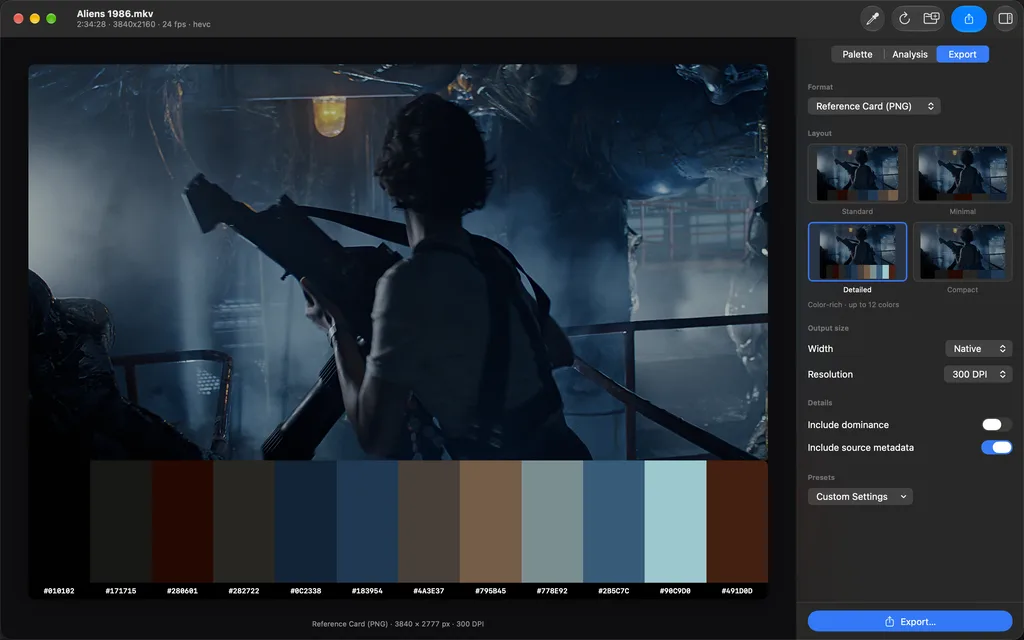
Build the handoff
Preview the exact result, choose its format, size, DPI metadata, and detail level, then save a reusable preset for the next project.
The finished artifact
A color profile made to share and use.
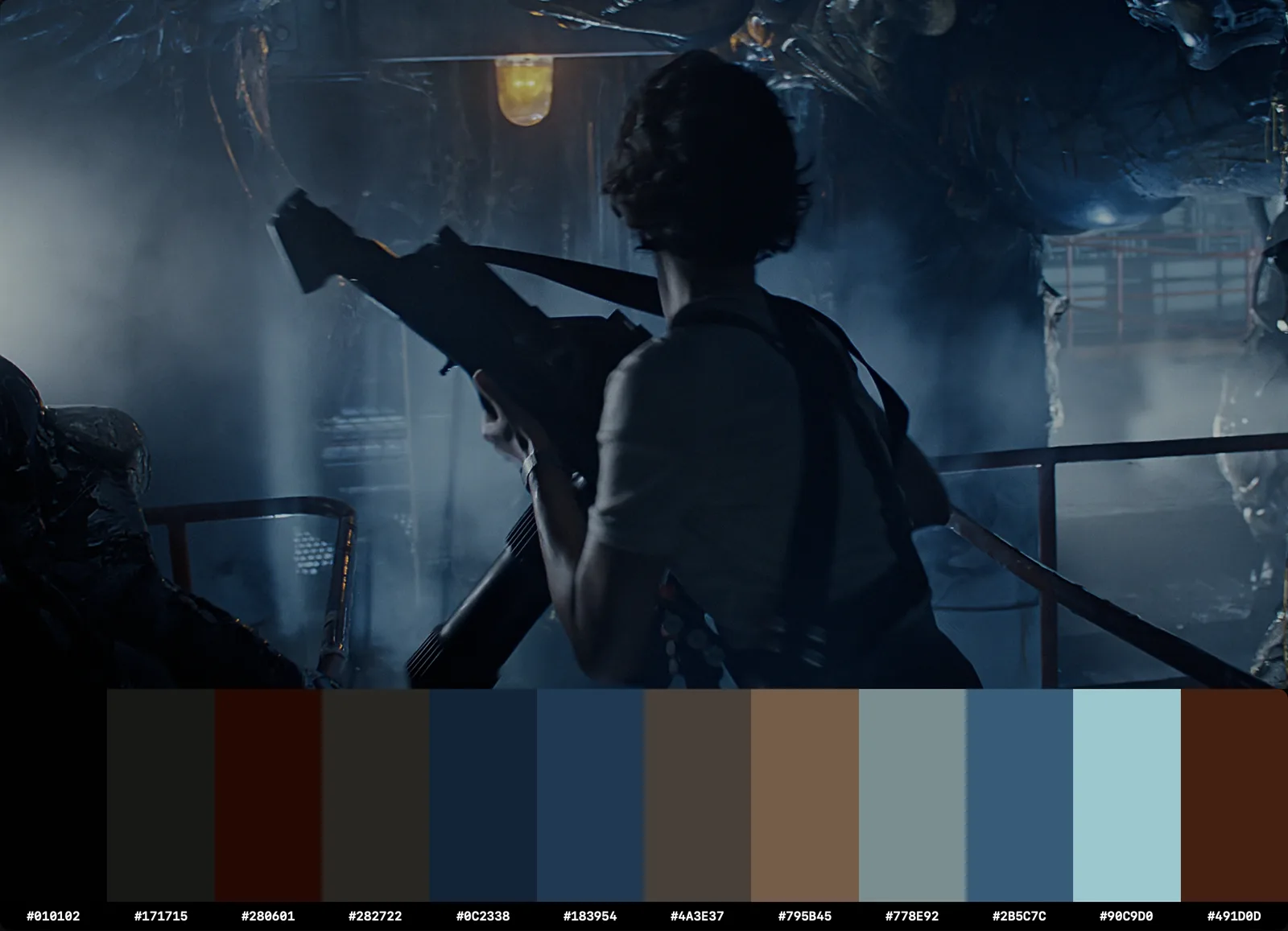
Reference cards combine the selected hero frame, dominant colors, hex values, and prominence into one production-ready image.
Start seeing your videos in color
Available on the Mac App Store. Requires macOS 26 (Tahoe) or later and an Apple Silicon Mac.
Video Formats
MP4, MOV, M4V, MKV, AVI, WebM, MPG, MPEG, FLV, WMV, 3GP, MTS, M2TS, TS
Codecs
H.264, H.265/HEVC, VP8, VP9, AV1, ProRes, MPEG-4, Motion JPEG
Still Images
JPEG, PNG, HEIC/HEIF, TIFF, WebP, and GIF
Performance
Streaming analysis with bounded memory: frames decode while earlier ones are sampled across all cores. VideoToolbox acceleration where available, with multithreaded FFmpeg fallback for broader codec coverage.